Best Forex Brokers Offering cTrader in 2026
Compare the best forex brokers offering cTrader in 2026 by spreads, commissions, regulation, account types, execution conditions and automated trading features.
Explore Article

Time to read: 17 minutes
Posted: 26 Nov 2026
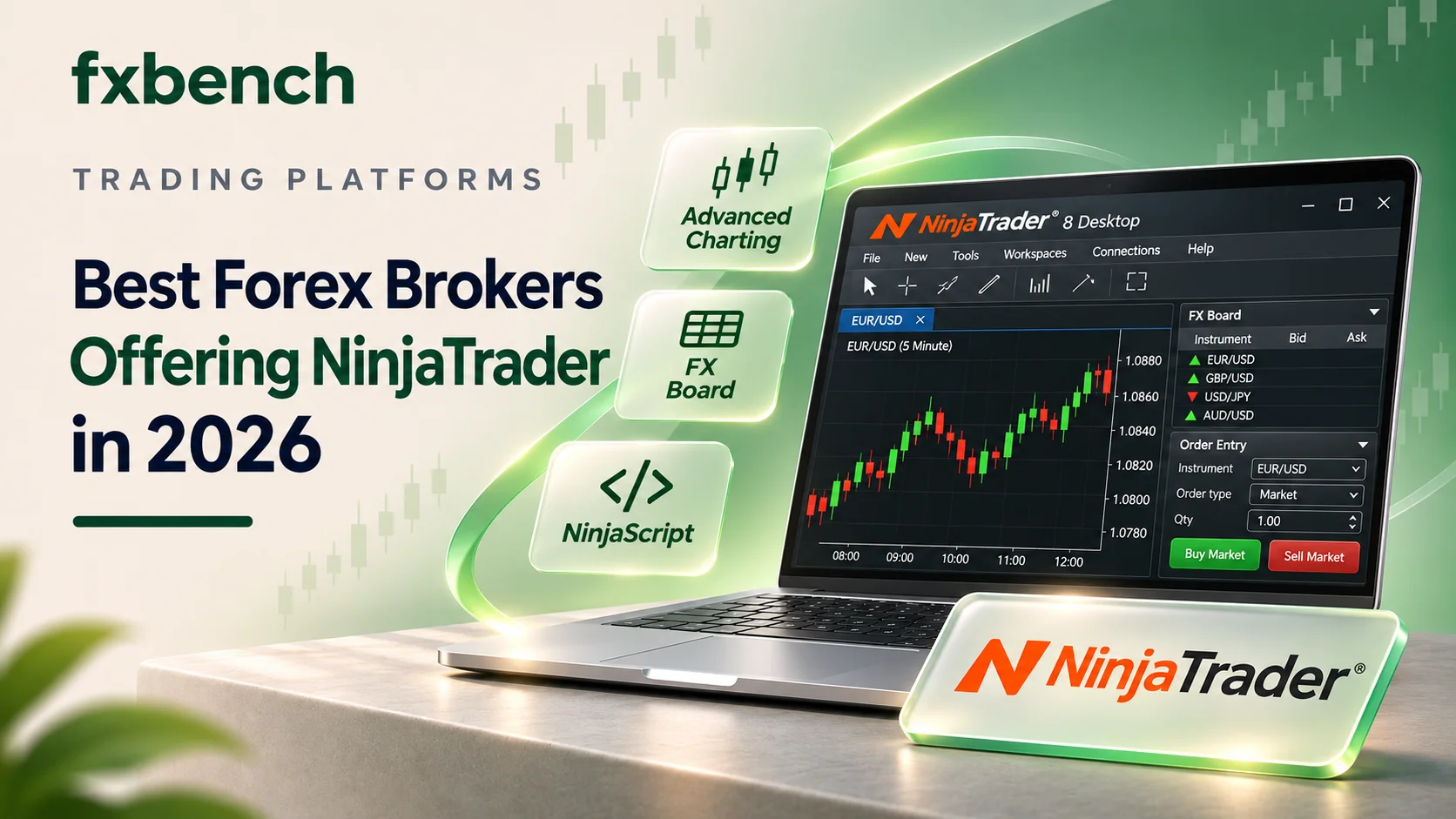
Compare forex brokers compatible with NinjaTrader Desktop, focusing on trading costs, account eligibility, order handling and the limitations for US retail traders.


FOREX.com is our preferred forex broker for NinjaTrader users in the United States. Interactive Brokers is a strong alternative for traders with the required currency trading permissions, while FXCM is worth considering outside the US if your strategy relies on server-side order cancellation and historical tick data.
NinjaTrader offers fewer forex broker connections than MetaTrader 4 or MetaTrader 5. Choosing one involves more than comparing spreads: your connection determines what you can trade, which historical data you can access and how linked orders behave if your computer disconnects.
Key finding: The standard Multiple Broker Add-On costs $99 every 30 days. At 50 completed trades per billing cycle, that adds $1.98 per round turn before brokerage costs.
Risk warning: Leveraged forex and CFD trading carry a substantial risk of loss and are not suitable for everyone. Leverage increases the impact of adverse price movements. Depending on the product, jurisdiction and account protections, losses can exceed deposited funds. Stop orders do not guarantee execution at the requested price.
FOREX.com, Interactive Brokers and FXCM support forex execution through NinjaTrader Desktop. StoneX Trading (formerly City Index UK) is a conditional alternative for existing City Index clients.
| Forex broker | Best suited to | Forex pricing model | US retail leveraged FX | NinjaTrader connection |
|---|---|---|---|---|
| FOREX.com | US retail forex traders | Spread or spread plus commission | Yes, subject to approval | Dedicated Desktop connection; local OCO |
| Interactive Brokers | Eligible multi-asset and spot currency traders | Variable spread plus commission | Restricted; currency conversion available | Desktop via TWS; server-side OCO |
| FXCM | International forex traders seeking server-side OCO | Spread or commission-based, depending on entity | No | Dedicated Desktop connection; server-side OCO |
| StoneX Trading (formerly City Index UK) | Existing City Index clients | Spread-based FX CFDs | No | Shared FOREX.com/City Index connection; new accounts unconfirmed |
The pricing models reflect general brokerage terms. Rates for NinjaTrader-compatible accounts may differ. All connections are Desktop-only and generally require the paid add-on. OCO (One Cancels Other) links orders so that execution of one triggers cancellation of another.
Use our forex broker comparison tool to compare wider brokerage features.
FOREX.com takes the leading position for its dedicated US retail forex offering and NinjaTrader support. US accounts are operated by GAIN Capital Group LLC, a CFTC-registered futures commission merchant and retail foreign exchange dealer, and an NFA member (0339826). Its NinjaTrader platform information provides a direct route to arrange the connection.
FOREX.com offers approximately 80 currency pairs to US customers, with a general opening minimum of $100. Its trading costs include EUR/USD spreads from 1.2 pips on spread-only accounts and from 0.0 pips on RAW accounts, plus $7 per $100,000 of USD-equivalent notional value per side. For example, 10,000 EUR/USD units at 1.1000 represent $11,000 of notional value, costing $0.77 in commission per side at that exchange rate.
Neither the account comparison nor the RAW account FAQ lists NinjaTrader as a supported RAW platform. Confirm RAW account eligibility and applicable rates with FOREX.com before subscribing to NinjaTrader.
FOREX.com is well suited to traders who use the FX Board, customized indicators and Advanced Trade Management (ATM). However, accepted and working orders reside on the broker's servers while OCO cancellation logic runs locally. If your profit target executes during a desktop disconnection, the linked stop-loss order may remain active and could create an unintended position if later executed, depending on the broker's order and account rules.
Pros
Cons
Verdict: FOREX.com is our preferred choice for US retail forex traders who need NinjaTrader because of its dedicated connection and US account availability.
Interactive Brokers combines spot currency trading with access to other asset classes. Its NinjaTrader connection requires a valid live brokerage account, a supported version of Trader Workstation (TWS) and configured application programming interface (API) access. Use NinjaTrader's connection guide to obtain the supported TWS version: direct downloads from IBKR can auto-update to an incompatible release. IB Gateway is not supported. Both live and paper account access require the appropriate NinjaTrader entitlement.
IBKR's spot currency commissions begin at 0.20 basis points of trade value, with a $2 minimum per order at the first tier. A $10,000 currency trade with one order on entry and one on exit therefore incurs at least $4 in commissions before spreads and the platform fee. IBKR also treats orders below its standard $25,000 USD-equivalent IdealPro threshold as odd lots; marketable limit orders may receive less favorable prices or take longer to fill.
IBKR's NinjaTrader feed lacks historical tick data and Tick Replay support. Historical minute and daily data are available for live accounts. If your strategy needs historical ticks, check whether a separate compatible data provider can supply them and factor any subscription into your costs.
US forex eligibility: IBKR allows US clients to convert currencies, but US clients of IBKR LLC and fully disclosed US broker clients generally need Eligible Contract Participant (ECP) status and approved permissions to trade leveraged forex. General ECP asset thresholds are more than $10 million, or $5 million for qualifying hedging transactions, subject to the statutory criteria. See its US leveraged forex rules.
Pros
Cons
Verdict: Interactive Brokers is a better fit for experienced traders who already qualify for its forex permissions and need a multi-asset account. Low commission rates alone do not make it suitable for small retail forex accounts.
FXCM is an established option for traders outside the US who qualify for its forex or forex CFD offering. NinjaTrader maintains a dedicated FXCM connection guide.
FXCM offers spread-based pricing and, in some regulated regions, commission-based Active Trader accounts. Its UK forex offering includes both pricing models. Check the minimum deposit, leverage, financing and protections for your regional account. FXCM’s UK entity, Stratos Markets Limited, is regulated by the FCA (217689), with other regulated group entities in the EU and Australia. The offshore Stratos Global LLC does not have equivalent regulatory oversight.
FXCM supports server-side OCO, reducing dependence on a continuously connected desktop for cancellation of paired orders. Unlike IBKR, it also provides historical tick data and supports Tick Replay. Server-side OCO does not mean that locally running NinjaScript or ATM rules will continue when the platform is closed.
Pros
Cons
Verdict: FXCM is particularly relevant to international traders who need both server-side OCO and historical tick data.
StoneX Trading is the successor to City Index's UK retail brand. StoneX announced the rebrand in September 2026, with the City Index UK name retiring on September 12. Existing account and platform arrangements continued through the transition.
FOREX.com and City Index share a connection in NinjaTrader. StoneX Trading's UK forex offering includes currency CFDs and spread betting, but this does not establish that both products work through NinjaTrader.
StoneX Trading's current UK platform range emphasizes proprietary platforms, TradingView and MT4. NinjaTrader access for newly opened accounts remains unconfirmed. Existing City Index clients should check that their connection remains supported; new customers should confirm access before subscribing or funding.
Pros
Cons
Verdict: StoneX Trading is worth considering for existing City Index clients whose accounts support the connection.
The NinjaTrader Desktop connection list also includes providers that serve different purposes.
| Connection | Role in forex trading |
|---|---|
| FOREX.com/City Index | Shared currency trading connection for eligible accounts |
| Interactive Brokers | Spot currencies, subject to account permissions |
| FXCM | Forex and currency CFDs, depending on regional account |
| cTrader | Separate platform connectivity; individual broker and FX CFD account compatibility must be established |
| NinjaTrader Brokerage | Currency futures, not conventional retail spot forex |
| Charles Schwab | Equity-related connectivity, not forex execution |
| Market data providers | Pricing and historical data, not necessarily brokerage execution |
cTrader is a trading platform, not a broker. A broker's support for cTrader alone does not establish NinjaTrader compatibility. A data feed displaying EUR/USD does not establish the ability to place live forex orders.
The $99 subscription renews every 30 days, equivalent to $1,204.50 annualized over 365 days. A continuous subscription can incur 13 payments ($1,287) in a 365-day billing window, with some access extending beyond that window. Qualifying lifetime license keys purchased before March 4, 2023, retain external brokerage access at no additional subscription cost; new Lifetime Account Plans do not include that exemption.
| Round-turn trades per subscription period | Subscription | Additional cost per round turn | Equivalent spread on 10,000 EUR/USD units |
|---|---|---|---|
| 10 | $99 | $9.90 | 9.90 pips |
| 25 | $99 | $3.96 | 3.96 pips |
| 50 | $99 | $1.98 | 1.98 pips |
| 100 | $99 | $0.99 | 0.99 pips |
| 200 | $99 | $0.50 | 0.50 pips |
These illustrations assume equal-sized trades in a USD account, where one pip on 10,000 EUR/USD units is worth $1. Increasing trading frequency does not improve profitability by itself or justify taking additional risk.
To estimate the total cost of a completed forex trade, convert the spread to its monetary value, add both sides of any commission and allocate fixed platform and data fees across completed trades. Include any applicable financing or currency borrowing costs and allow for slippage.
For example, a hypothetical 10,000-unit EUR/USD round turn with a 1.0 pip spread costs $1 in spread charges, before price movement and slippage. If 50 such trades are completed during one subscription cycle, the platform adds $1.98 per trade, increasing the illustrative total to $2.98. A second broker offering a 0.5 pip spread and $1 in round-turn commission would cost $3.48 including the same subscription allocation.
Compare executable prices on the same pair, position size, trading session and account type rather than minimum spread figures across different products.
FOREX.com's general US opening minimum is $100. StoneX Trading's UK offering has no minimum for bank transfers, but initial card deposits require 100 units of the selected base currency. Minimum deposits for NinjaTrader-compatible accounts may differ. IBKR and FXCM requirements depend on the entity and permissions.
Opening an account is different from having sufficient margin to trade. A $10,000 notional forex position requires $200 at 50:1 leverage or approximately $333.33 at 30:1. Margin requirements may be higher depending on the pair, size and jurisdiction. Additional capital is needed to absorb adverse price movements; the minimum margin is not an appropriate target account balance.
NinjaTrader 8 is a customizable trading platform with advanced charts, order entry tools and programmable strategies. Forex traders use NinjaScript (based on C#), the FX Board, Market Analyzer and ATM functionality. The platform also supports simulation and strategy analysis with appropriate market data.
If you are switching from MetaTrader, check your order quantity carefully. NinjaTrader's forex quantity selector uses currency units: 1,000 for a micro lot, 10,000 for a mini lot and 100,000 for a standard lot. Default lot sizes depend on the broker connection, while CFDs and futures may use different quantity conventions.
The distinction between the platform and its native brokerage is important. NinjaTrader Brokerage provides exchange-traded currency futures, which have contract sizes and expiry dates. External forex brokers provide currency trading under their own account arrangements, including spot or CFD products where permitted. A forex CFD tracks currency price changes without requiring ownership of the underlying currencies.
External forex accounts are not available through NinjaTrader Web or Mobile. Check whether your broker's own apps can manage the same positions and working orders when you are away from Desktop.
Check the legal entity that will hold your account and its permission to offer forex in your country. For US retail off-exchange forex, verify CFTC registration and NFA membership. Elsewhere, leverage limits, negative balance protection and other safeguards depend on the jurisdiction and account classification.
Our best forex brokers in the USA comparison also covers regulated brokers that do not support NinjaTrader.
Protective order handling and historical data coverage vary by connection. For technical details, see NinjaTrader's order handling documentation and data provider specifications.
| Technical feature | FOREX.com/City Index | Interactive Brokers | FXCM |
|---|---|---|---|
| OCO cancellation | Local computer | Broker servers | Broker servers |
| Historical tick data | Yes | No | Yes |
| Historical minute and daily data | Yes | Live accounts only | Yes |
| Historical bid/ask minute and daily data | No | Yes | No |
| Separate historical bid/ask tick data | No | No | No |
| Tick Replay support | Yes | No | Yes |
These are provider-level capabilities, not guarantees for every account or instrument. Tick Replay enables tick-by-tick historical calculations for compatible indicators and strategies, but does not reproduce actual order fills. If a strategy depends on historical bid and ask quotes, verify the required data separately; Tick Replay is not a substitute for a complete bid/ask history.
Match the connection to your trading style. For scalping, compare executable spreads, slippage, commissions and minimum order sizes. For swing trading, examine overnight financing and protective orders. For automated trading, assess historical data, strategy compatibility and connection reliability.
Confirm that your currency pairs, quantity settings and order types are supported through NinjaTrader itself, not just on the broker's own platform.
FOREX.com is our preferred option for US beginners who require NinjaTrader. For learning order entry, position sizing and margin management, however, a broker's own demo account is often more practical than a paid external connection.
Free futures simulation is not the same as forex simulation. NinjaTrader no longer offers new forex data trials, although existing FXCM demo trials could continue under previous arrangements. Check current demo eligibility, or see our guide to the best forex demo accounts.
NinjaTrader Desktop is a Windows application. Check its system requirements before subscribing; macOS, Linux and ChromeOS are not supported natively. A Windows virtual machine may be an option for some Mac users.
Multi-Provider mode alone does not unlock trading on third-party brokerage accounts.
| Feature | NinjaTrader | MT4 | MT5 |
|---|---|---|---|
| Main appeal | Customized analysis and advanced desktop workflows | Established forex trading environment | Forex and broader multi-asset trading |
| Forex broker choice | Limited | Broad | Broad |
| Strategy language | NinjaScript (C#) | MQL4 | MQL5 |
| Platform access cost | Generally $99 per cycle for external forex accounts | Typically included by the broker | Typically included by the broker |
| Mobile forex access | Use the external broker's supported app | Available with supported accounts | Available with supported accounts |
Compare our guides to MT4 forex brokers and MT5 forex brokers if you need a wider broker selection or lower fixed platform costs.
| Pros | Cons |
|---|---|
| Customizable charting and technical analysis | Limited selection of forex brokers |
| C# strategy development and automation | Additional third-party connection subscription |
| Advanced order entry and trade management | External accounts limited to Desktop |
| Support for multiple eligible connections | Order handling and historical data differ by provider |
We evaluate NinjaTrader forex brokers based on account eligibility, connection support, regulation, trading costs, protective order handling, historical data coverage and technical setup. See our broker review methodology for the wider framework.
We base our comparison on broker terms and NinjaTrader's technical documentation, not comparative live execution tests. The cost examples are illustrative; actual spreads, slippage, execution speeds and withdrawal times may vary.
FOREX.com remains our leading choice for US retail forex traders. Interactive Brokers suits qualifying multi-asset traders, while FXCM combines server-side OCO with historical tick data for eligible clients outside the US. StoneX Trading remains a conditional alternative.
NinjaTrader makes most sense if its charting, custom indicators or C# strategy development justify the recurring connection fee. Otherwise, MetaTrader or a broker's own platform may be more economical. Confirm compatibility and calculate your costs before subscribing, or use our broker finder to compare alternatives.
FOREX.com, Interactive Brokers and FXCM connect to NinjaTrader Desktop. The shared FOREX.com/City Index connection is also relevant to StoneX Trading, although new account compatibility has not been confirmed. Regional eligibility and account type determine which forex products you can trade.
FOREX.com is our preferred option for ordinary US retail forex traders because it has a dedicated NinjaTrader connection and a regulated US retail forex offering. Interactive Brokers generally restricts leveraged forex to approved Eligible Contract Participants among its US clients.
Most users need the $99 Multiple Broker Add-On, which renews every 30 days, to trade with an external forex broker. Qualifying lifetime license keys purchased before March 4, 2023, retain their entitlement. Brokerage spreads, commissions, financing and applicable data costs are separate.
NinjaTrader Brokerage focuses on exchange-traded futures, including currency futures. Conventional spot forex or forex CFD trading requires a compatible external broker and an eligible account.
Yes, through NinjaTrader Desktop, the supported version of Trader Workstation (TWS) and the required API settings, provided your account has the appropriate brokerage entitlement and currency trading permissions. Most US retail clients cannot trade leveraged forex with IBKR.
FXCM connects to NinjaTrader Desktop, but its forex offering is not available to US retail residents. Eligible international clients should confirm account and regional compatibility.
NinjaTrader supports a shared FOREX.com/City Index connection. StoneX Trading replaced the City Index UK brand in September 2026, but new StoneX Trading account compatibility remains unconfirmed. Existing clients should also verify that their connection remains supported.
No. External forex brokerage connections are limited to NinjaTrader Desktop. Check whether the connected broker’s own platforms can manage your positions and working orders on a phone or browser.
No. NinjaTrader supports a cTrader connectivity option, but this does not establish that every cTrader broker and account can execute forex trades through NinjaTrader. Verify the particular broker and supported account type.
NinjaTrader provides flexible C# automation and advanced desktop tools, while MetaTrader generally offers a wider forex broker selection and lower platform access costs. The better choice depends on the trading workflow and the total cost of the account.
Simulation is possible with appropriate data and eligible connections, but NinjaTrader no longer offers forex data trials to new users. A broker demo account is a practical starting point before paying for the integration.

Arlo Fenwick regularly covers topics such as MetaTrader platforms, copy trading, risk management, leverage policies, and evolving financial regulations across major jurisdictions including the UK, Europe, Australia, and the Middle East.
In addition to broker reviews, Arlo writes educational content aimed at improving financial literacy and trading discipline. His work often emphasizes responsible trading practices, realistic expectations, and the importance of choosing regulated financial providers.
Known for an analytical yet straightforward writing style, Arlo Fenwick continues to serve as a trusted voice in the online trading and investment space, helping readers navigate an increasingly competitive financial marketplace with confidence and clarity.

Compare the best forex brokers offering cTrader in 2026 by spreads, commissions, regulation, account types, execution conditions and automated trading features.
Compare the best MetaTrader 5 (MT5) brokers by trading costs, regulation, minimum deposits, market coverage and automated trading features. Find the right MT5 account for your trading strategy and country.